

What is the TestSprite CLI?
TestSprite tests frontend and backend software in the cloud, against the live product, not mocks. The CLI puts that platform in your coding agent’s hands: structured output it can parse, exit codes it can branch on, and one failure bundle it can act on.--output json shape and exit codes are a stable contract for agents and CI.
Why a CLI for coding agents?
Without it, you run the app, screenshot the result, and paste it back to the agent. With it, the agent triggers a real cloud run and reads the verdict itself.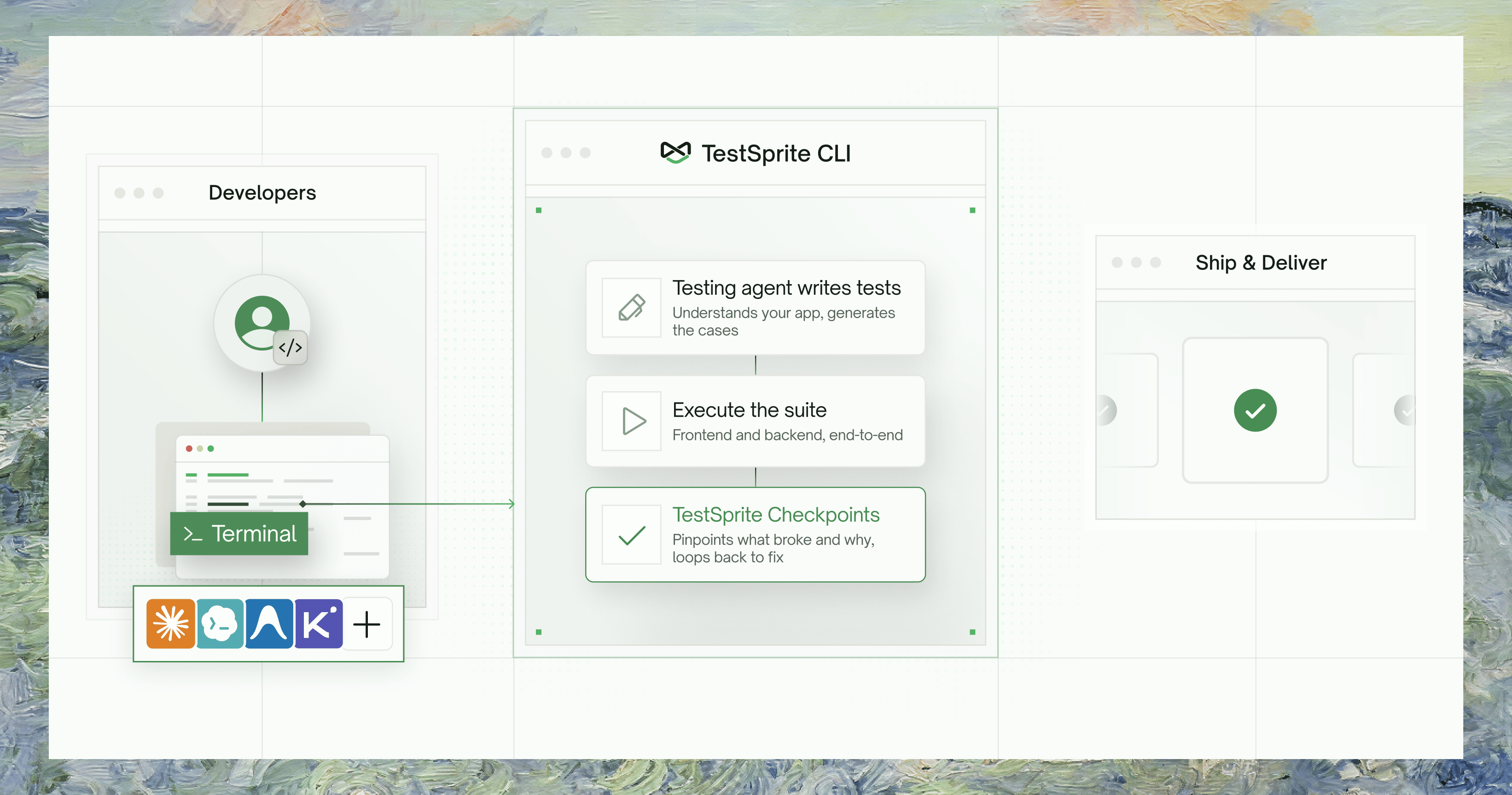
The verification loop
1
Install and onboard
setup stores your API key and installs the verification skill into your agent’s project, so the agent knows when and how to run tests. See Installation.2
Create and run a test
Describe the behavior as a plan file, then one command creates the test, runs it in the cloud against your live app, and blocks until a verdict. Exit 0 means passed, 1 means failed.
3
On failure, read the bundle
4
Fix and rerun
Who It’s For
One Platform, Three Surfaces
All three share the same tests, projects, and runs:- Web Portal
- MCP Server
- CLI
For humans: visual project setup, PRD uploads, dashboards, scheduling, billing and member management. Not scriptable.
Go to Web Portal docs
* Frontend runs against loopback addresses; see Environments.
Where to Go Next
Installation
Install the CLI and sign in in under 2 minutes
Quickstart
Create a test, run it, and read what broke — end to end
Key Terms
Projects, tests, runs, and the concepts behind them
Command Reference
Every command, flag, and exit code