

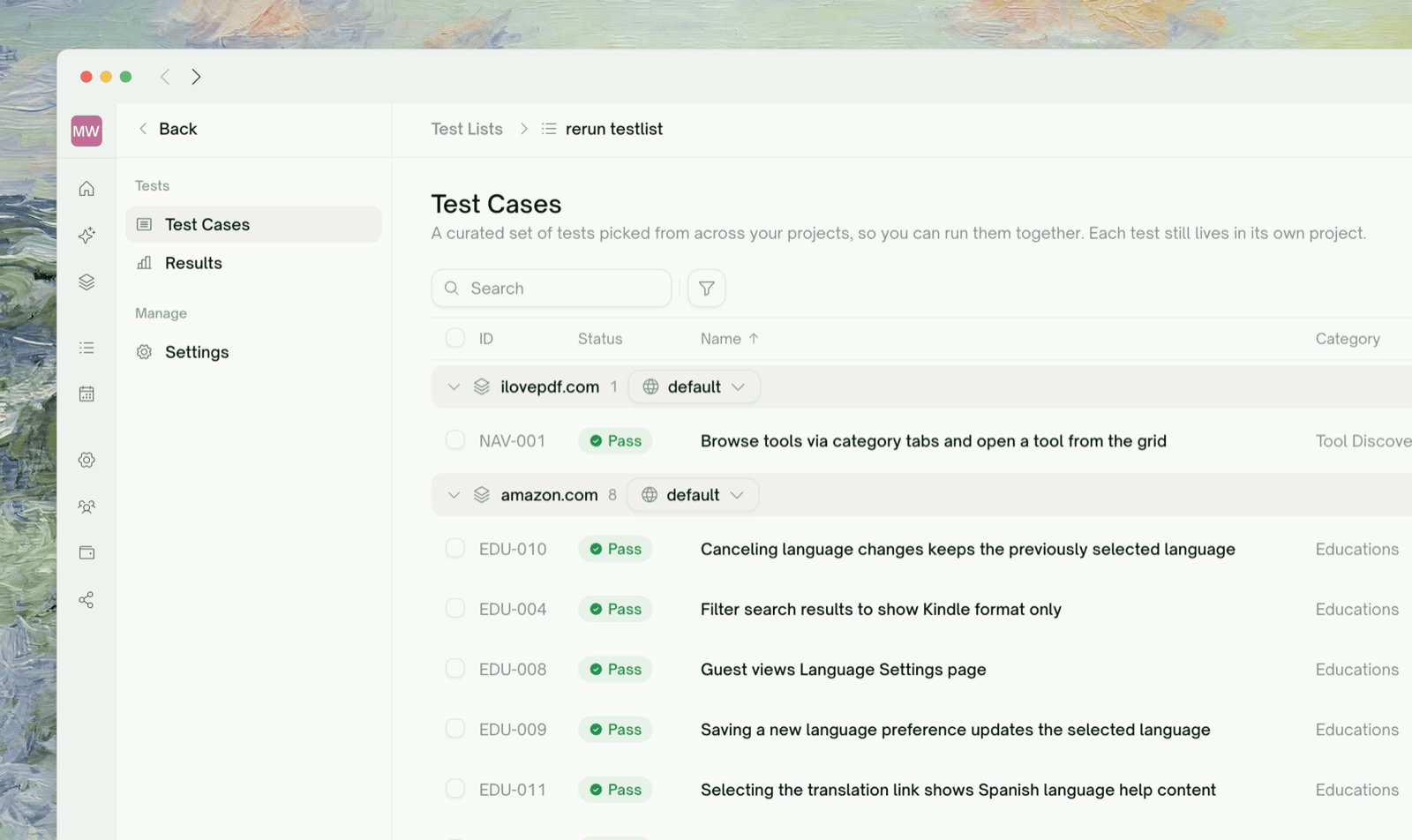
Creating Test Lists
1
Navigate to Test Lists
Go to Automation → Test Lists and click New List to get started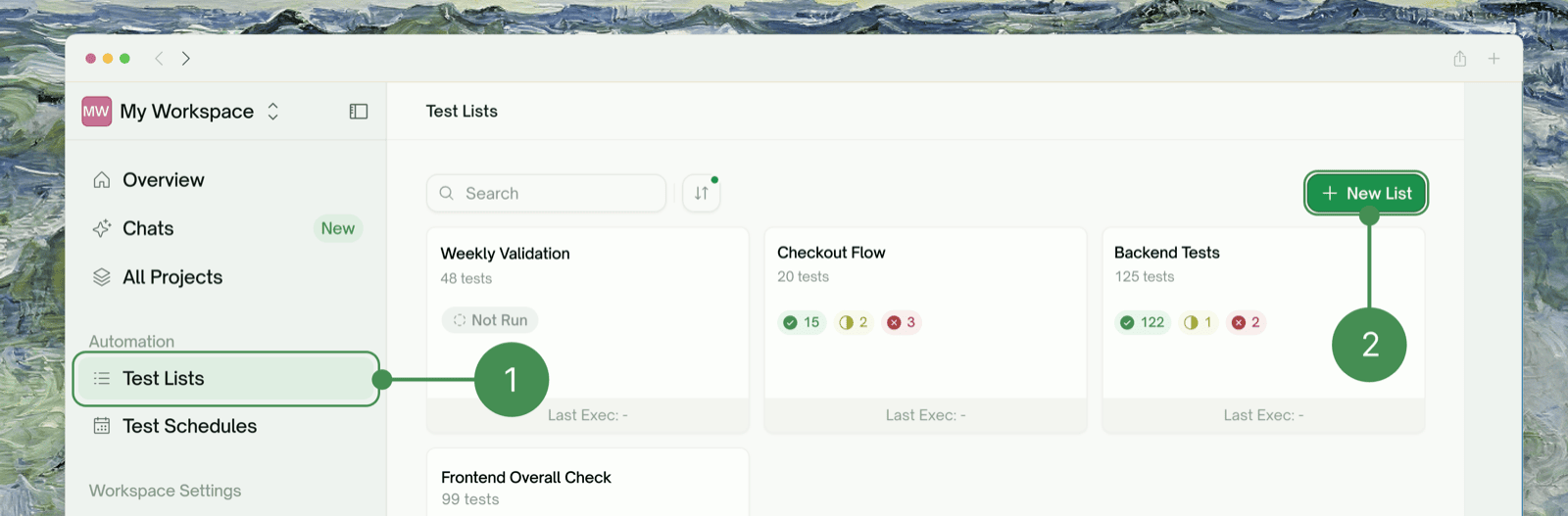
2
Add Test Cases
Add test cases from existing creations in All Projects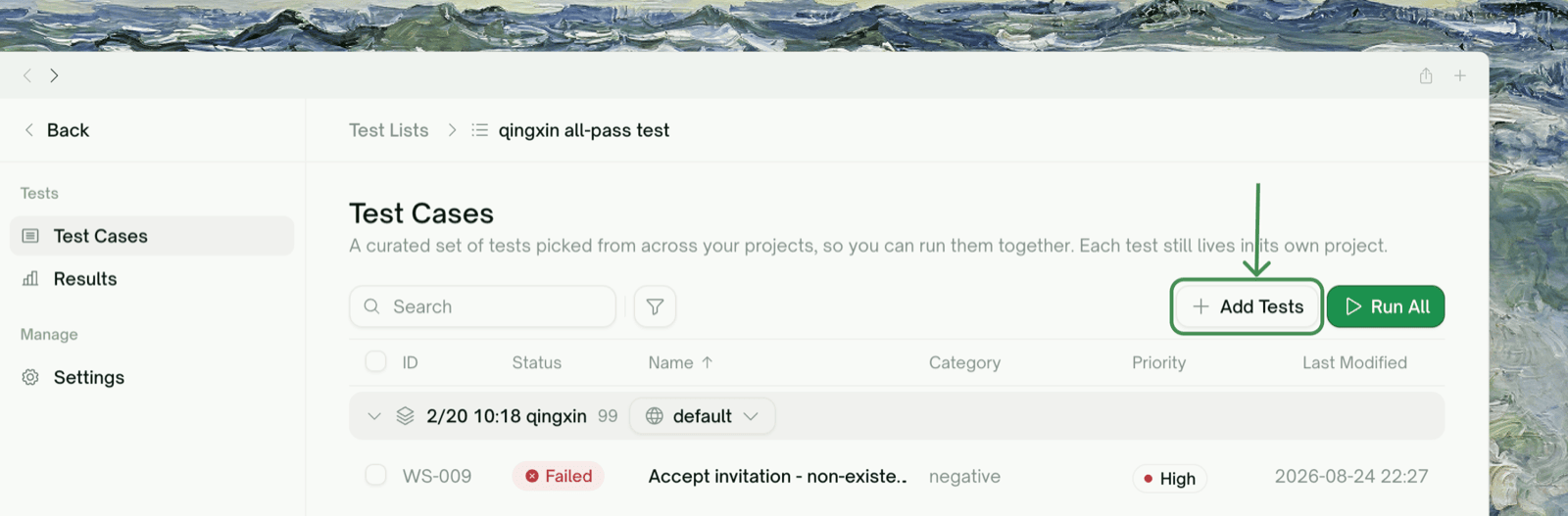
3
Name and maintain the list
Name the list descriptively and keep it up to date as your tests change
The Test Lists Page
Each list shows its name, previous execution date and time, and test counts (total, frontend, and backend), along with the status of its last run:
Search by list name, filter by any of these statuses, and sort by total, frontend, or backend test count, or by previous execution date.